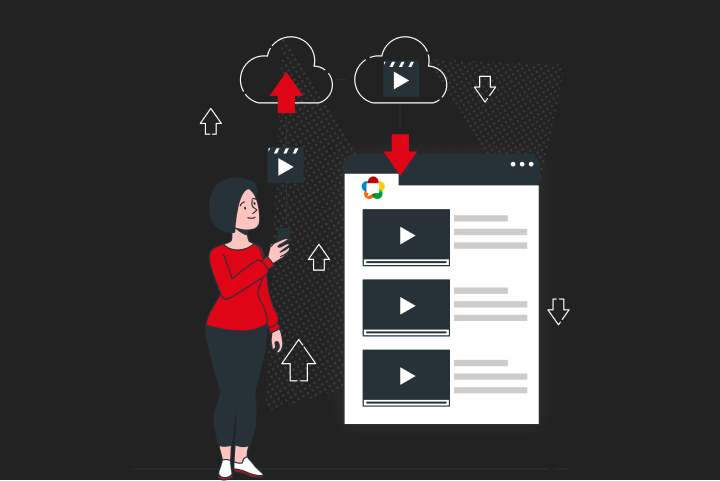

WebRTC is an open-source protocol suite that lets browsers and devices stream audio, video, and data to each other in under 500 milliseconds — no plugins, no downloads, no third-party software. Standardized by the W3C and IETF under RFC 8829 in January 2021, it’s the technology behind video consultations, live auctions, multiplayer gaming, and any situation where a second of lag is one second too many.
If you’ve ever wondered exactly how WebRTC pulls off real-time delivery — what ICE candidates are, why DTLS matters, or when you actually need a TURN server — this guide has the answers. It also covers where WebRTC genuinely struggles (scalability and broadcast quality), and how a media server like Ant Media Server solves those problems.
Table of Contents
What is WebRTC?
WebRTC — short for Web Real-Time Communication — is a royalty-free, open-source protocol suite that enables peer-to-peer audio, video, and data streaming directly between browsers and devices, without plugins or intermediary software. It was standardized by the W3C and IETF in RFC 8829 (January 2021) and currently runs natively in Chrome, Firefox, Safari, Edge, and Opera.
In practical terms: when you join a video call from a browser tab without installing anything, that’s WebRTC at work. The protocol embeds three JavaScript APIs directly into the browser runtime — getUserMedia (captures your camera and mic), RTCPeerConnection (manages the connection), and RTCDataChannel (handles text, files, or any binary data alongside video).
Before WebRTC, real-time communication required Flash, Silverlight, or proprietary plugins — each with licensing costs, security risks, and the dreaded “you need to install this first” friction. Google acquired On2 Technologies (makers of the VP8 video codec) and GIPS (audio processing), open-sourced both, and worked with the W3C and IETF to turn the result into the WebRTC standard. Ericsson built the first implementation in May 2011.
WebRTC Protocol Quick Reference — 2026:
| Parameter | Value | Standard |
|---|---|---|
| Latency | 0.2–0.5 seconds glass-to-glass | RFC 8829 / IETF |
| Mandatory audio codecs | Opus, iSAC, iLBC | W3C WebRTC 1.0 |
| Standard video codecs | H.264, VP8, VP9 | RFC 7742 |
| Ant Media extension | H.265 (not standard WebRTC) | antmedia.io |
| Encryption | DTLS-SRTP mandatory | RFC 5764 |
| Transport | UDP (TCP fallback) | RFC 8835 |
| Signaling | WebSocket (implementation-defined) | RFC 8829 |
| Browser coverage | Chrome, Firefox, Safari, Edge, Opera | caniuse.com, Q1 2025 |
The standout figure in that table is the 0.2–0.5 second end-to-end latency. HLS typically delivers 8–30 seconds; RTMP around 3–6 seconds. That gap is structural — WebRTC uses UDP and skips retransmission, while RTMP uses TCP and waits for lost packets to be resent.
WebRTC in 2026: 85% Browser Coverage, Ratified Standard, Active Deployments
WebRTC is more widely deployed in 2026 than at any previous point in its history. According to Google’s Chromium blog, Chrome, Edge, Firefox, and Safari together mean more than 85% of all installed browsers globally support WebRTC as a native client for real-time communication. The W3C WebRTC 1.0 specification reached formal Recommendation status in January 2021 — not a draft, not a proposal, a ratified standard.
Today WebRTC powers Google Meet, Facebook Messenger video, Discord’s browser client, and thousands of purpose-built platforms in telehealth, live commerce, education, and surveillance. The protocol has also expanded beyond its browser origins: native SDKs for Android, iOS, Flutter, React Native, and Unity let developers bring sub-500ms delivery to mobile and desktop apps with the same underlying stack.
The short answer: if you need real-time video that runs in a browser without any extra software, there’s nothing that competes with WebRTC on latency and compatibility simultaneously.
WebRTC Connection Sequence: SDP, ICE, DTLS, and RTP — Step by Step
WebRTC establishes a peer connection through 5 sequential steps: media capture, SDP offer/answer exchange, ICE candidate gathering, DTLS-SRTP handshake, and RTP media delivery. A signaling server (typically WebSocket-based) orchestrates steps 2 and 3 — but it never touches your media. After that handshake completes, media flows directly peer-to-peer.
Step 1 — Media capture. The browser calls getUserMedia() to access camera and microphone. The user sees a permission prompt and a visible indicator while capture is active — this is a W3C requirement enforced at the browser level, not something your app controls.
Step 2 — SDP offer/answer. Peer A generates a Session Description Protocol (SDP) offer — a text blob listing its supported codecs, bitrate parameters, and encryption credentials. The signaling server relays it to Peer B, which responds with an SDP answer. The two sides negotiate the highest common codec: if Peer A supports H.264, VP8, and VP9 while Peer B only supports H.264 and Opus, the session uses H.264 and Opus. No common codec means no connection.
Step 3 — ICE candidate gathering. Interactive Connectivity Establishment (ICE) finds every viable network path between the two peers. It queries a STUN server to discover each peer’s public IP address, assembles these as ICE candidates, and exchanges them through the signaling server. The ICE agent then tests each candidate pair with STUN pings to find the lowest-latency direct route. If a direct path fails — which happens in about 15–20% of enterprise sessions due to symmetric NAT or strict firewalls — traffic falls back to a TURN relay server.
Step 4 — DTLS handshake. Before any media transmits, both peers complete a Datagram Transport Layer Security (DTLS) handshake. This establishes the AES-128 session keys that SRTP uses to encrypt every media packet. Unencrypted WebRTC media is technically impossible — RFC 5764 mandates DTLS-SRTP and all conformant browser implementations enforce it without exception.
Step 5 — RTP media delivery. Audio and video stream as Secure RTP (SRTP) packets over UDP. RTCP runs alongside RTP, carrying Quality of Service reports — packet loss rates, jitter measurements, round-trip time — that Google Congestion Control (GCC) uses to dynamically lower bitrate and resolution when network conditions degrade, then ramp back up when they improve.
What are the 5 Core WebRTC Components?
WebRTC’s architecture breaks into 5 distinct components. Understanding what each one does makes the whole system much easier to debug and scale.
SDP (Session Description Protocol)
SDP is the negotiation language WebRTC uses before media flows — it describes what each peer can send and receive. Think of it as two people comparing what languages they both speak before deciding which one to use. SDP does not carry media; it just describes the conditions under which media will be carried. Peer A creates an SDP “offer”, Peer B responds with an “answer”, and the session uses whatever codecs and parameters both sides agree on.
ICE (Interactive Connectivity Establishment)
ICE is the process that finds the best network path between two peers — whether that’s a direct LAN connection, a NAT-traversal route, or a TURN relay. Defined in RFC 8445, ICE assembles three types of candidate addresses: host candidates (local network interfaces), server-reflexive candidates (your public IP from STUN), and relayed candidates (TURN server addresses). ICE tests each candidate pair and picks the fastest that works.
STUN Server (Session Traversal Utilities for NAT)
The STUN server solves one specific problem: it tells each peer what its public IP address looks like from outside its router. A peer behind a home network might have an internal address like 192.168.1.5 that’s invisible from the internet. The STUN server returns the public-facing address — essential for ICE to work. Google provides a free STUN server at stun.l.google.com:19302 for development. Production deployments should use dedicated infrastructure.
TURN Server (Traversal Using Relays Around NAT)
The TURN server is the fallback relay when direct peer connectivity fails — typically because of symmetric NAT or enterprise firewalls that block ICE connectivity checks. TURN is an extension of STUN defined in RFC 5766: instead of just looking up your public IP, the TURN server allocates a relay address that both peers can reach, and all media packets route through it. This adds 10–80ms of latency depending on geography, but it guarantees connectivity in restricted networks. Around 15–20% of WebRTC sessions in enterprise environments need TURN relay.
RTP / SRTP (Real-Time Transport Protocol)
RTP is the protocol that actually carries your audio and video packets over UDP, and SRTP is its encrypted version — the only form WebRTC uses. SRTP encrypts each packet payload using AES-128 keys derived from the DTLS handshake. RTCP (the companion control protocol) sends QoS reports every 5 seconds by default, giving the GCC congestion controller the packet loss and jitter data it needs to adapt bitrate in real time.
What are the 4 Types of WebRTC Servers?
A production WebRTC deployment uses up to 4 distinct server types. The first three are needed for any session; the fourth becomes essential when you move beyond 2-party calls.
| Server Type | What It Does | Handles Media? | Required For |
|---|---|---|---|
| Application server | Hosts the WebRTC app and API | No | All deployments |
| Signaling server | Exchanges SDP and ICE candidates | No (metadata only) | All deployments |
| STUN / TURN server | NAT traversal and relay fallback | TURN only (relay) | All deployments |
| Media server | Transcoding, recording, SFU/MCU, protocol conversion | Yes | Multi-party, recording, scale |
The key insight: signaling servers handle metadata only, so their bandwidth costs are negligible — a single signaling server can manage tens of thousands of concurrent sessions. Media servers are where the compute cost lives.
Application servers are standard web infrastructure (Node.js, nginx, cloud load balancers) — nothing WebRTC-specific needed here.
Signaling servers coordinate who connects to whom and relay SDP/ICE messages. WebSocket is the standard transport because it’s full-duplex and low overhead. Learn how the WebRTC signaling server manages session state and connection teardown.
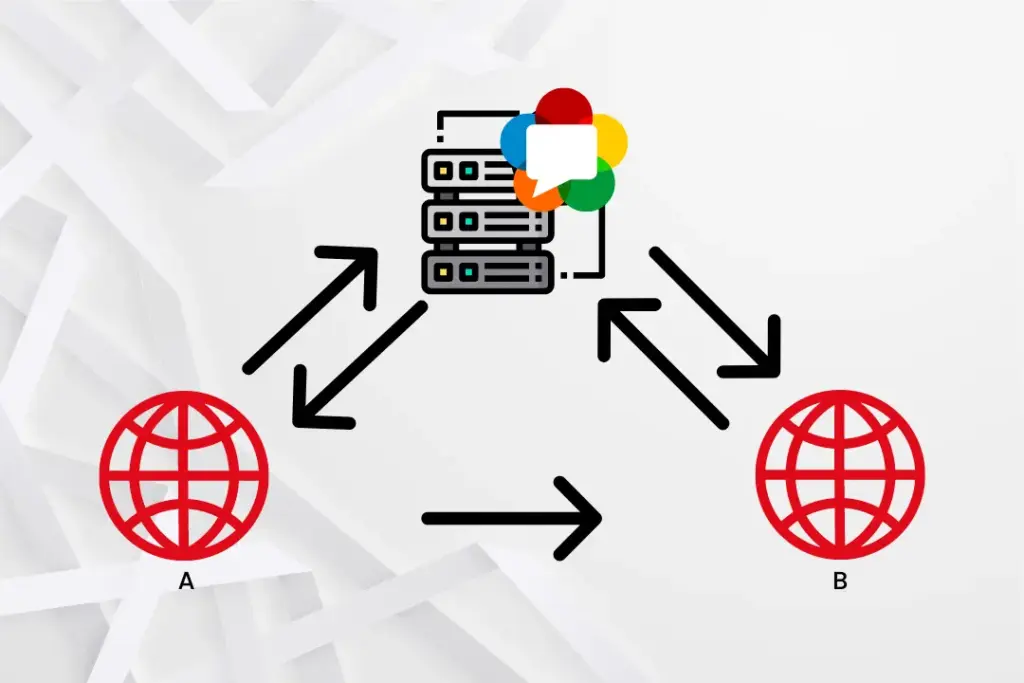
STUN/TURN servers often run as the same software (coturn is the most widely deployed open-source option). TURN authentication uses HMAC-SHA1 time-limited credentials to prevent unauthorized relay use.
Media servers sit between peers and process streams. Three architectures exist: SFU (Selective Forwarding Unit — receives one upstream per peer, forwards selectively, lowest server CPU), MCU (Multipoint Conferencing Unit — decodes and composites all streams into one, highest CPU, easiest on client bandwidth), and transcoding gateway (converts WebRTC to RTMP, HLS, CMAF, or SRT for non-WebRTC delivery).
What are the 7 Advantages of WebRTC Video Streaming?
Here’s what makes WebRTC the right call for interactive streaming — and why alternatives can’t match this full combination.
- Sub-500ms latency (0.2–0.5 seconds). Ant Media Server achieves WebRTC publishing latency as low as ~0.2 seconds. HLS delivers 8–30 seconds; RTMP delivers 3–6 seconds. For live auctions, medical consultations, and interactive gaming, this gap is the difference between a working product and a broken experience.
- Zero-plugin browser delivery. WebRTC’s APIs — getUserMedia, RTCPeerConnection, RTCDataChannel — are built into every major browser since W3C ratification in January 2021. No Flash. No Silverlight. No extension installation. Users click and stream.
- Mandatory DTLS-SRTP encryption. Every WebRTC media packet is encrypted with SRTP using AES-128 keys from a DTLS handshake. There’s no configuration toggle for “unencrypted mode” — RFC 5764 prohibits it and all conformant browsers enforce it. WebRTC is the only major streaming protocol with security enforced at the specification level, not as an optional deployment choice.
- Adaptive congestion control. Google Congestion Control (GCC) monitors packet loss and jitter in real time and adjusts video bitrate and resolution automatically. On a degrading connection, WebRTC degrades gracefully — resolution drops before the call drops.
- Simulcasting for publisher resilience. WebRTC supports simulcasting — the publisher generates multiple streams at different bitrates simultaneously (e.g., 1080p/720p/360p). The SFU selects the appropriate quality layer per recipient based on their bandwidth, without re-encoding on the server. This is different from adaptive bitrate streaming, which adapts during playback; simulcasting adapts at the source.
- Cross-platform SDK availability. WebRTC runs natively in browsers and through Ant Media’s native SDKs on Android, iOS, Flutter, React Native, and Unity. One streaming infrastructure, every platform.
- Royalty-free licensing. VP8 and VP9 are Google open-source codecs with no licensing fees. Opus audio is also royalty-free. The core WebRTC stack costs nothing to use commercially. H.264 requires AVC patent pool licensing — typically handled by the browser vendor for in-browser sessions.
Latency by Protocol: WebRTC, RTMP, HLS, SRT, and RTSP in One Table
WebRTC delivers 0.2–0.5 seconds of latency versus RTMP’s 3–6 seconds — roughly a 10x difference — because WebRTC sends over UDP without retransmission while RTMP uses TCP and holds the stream until lost packets arrive.
| Protocol | Typical Latency | Transport | Encryption | Browser Native? |
|---|---|---|---|---|
| WebRTC | 0.2–0.5 seconds | UDP (SRTP) | DTLS-SRTP mandatory | Yes |
| RTMP | 3–6 seconds | TCP | RTMPS optional | No (encoder required) |
| HLS | 8–30 seconds | HTTP/TCP | HTTPS optional | Yes |
| LL-HLS | 2–5 seconds | HTTP/2 + TCP | HTTPS optional | Yes |
| SRT | Sub-second (network-dependent) | UDP | AES-256 optional | No (encoder required) |
| RTSP | 1–3 seconds | UDP/TCP | Optional | No (IP camera / player) |
WebRTC vs. HLS: HLS is far more scalable out of the box — CDN delivery to millions of viewers is straightforward. WebRTC P2P caps at 4–6 participants without a media server. The right answer for large audiences is hybrid delivery: WebRTC for interactive participants, HLS/CMAF via CDN for the audience overflow. Learn more about converting WebRTC to HLS and DASH.
WebRTC vs. RTMP: RTMP’s latency is 6–12x higher than WebRTC. But RTMP wins on encoder compatibility (OBS, Wirecast, vMix all support it) and on ad marker/metadata features. The standard pattern is RTMP ingest → media server → WebRTC delivery. See the full WebRTC vs RTMP comparison.
WebRTC vs. SRT: SRT targets broadcast contribution links and achieves sub-second latency on optimized infrastructure. It’s not browser-native — it requires dedicated encoder software. Think of SRT as the RTMP replacement for professional contribution, not a competitor to WebRTC for browser delivery.
WebRTC vs. RTSP: RTSP is the default protocol for IP cameras. These cameras typically use RTSP for first-mile capture and then transcode to WebRTC for browser-based monitoring — dramatically reducing surveillance latency. They complement rather than compete.
Is WebRTC Secure? The DTLS-SRTP Encryption Model
WebRTC is secure by specification — DTLS-SRTP encryption is mandatory, the W3C WebRTC 1.0 spec prohibits unencrypted peer connections, and browsers enforce this at the implementation level. This is categorically different from RTMP and HLS, where encryption is an optional deployment decision that many implementations skip.
The WebRTC security model covers four specific attack vectors:
- Media interception: SRTP encrypts every media payload with AES-128-CM and HMAC-SHA1 authentication. Intercepted packets are unreadable without the session keys derived from the DTLS handshake.
- Unauthorized capture: getUserMedia() requires explicit user permission before accessing camera or microphone. The browser displays a persistent indicator while capture is active — application JavaScript cannot suppress this.
- Man-in-the-middle attacks: The DTLS handshake uses X.509 certificates. Each peer includes its certificate fingerprint in the SDP, and the DTLS layer verifies the fingerprint matches the certificate used in the handshake.
- IP address disclosure: RFC 8828 (January 2021) and subsequent browser implementations added mDNS candidate filtering to conceal local IPs by default — Chrome 75+ and Firefox both implement this.
WebRTC for iOS and Android: Native SDK Support
WebRTC works on iOS through WKWebView (Safari’s WebKit engine) and via Ant Media’s native iOS SDK, and on Android through the WebView component and Ant Media’s native Android SDK. Both SDKs use the same ICE/DTLS/SRTP protocol stack as the browser implementation — consistent behavior across platforms.
- iOS SDK: Supports publish, play, and P2P communication. Integrates with Ant Media Server’s WebSocket signaling via the Starscream library. Compatible with modern iOS devices using Xcode and CocoaPods integration.
- Android SDK: Supports publish, play, P2P, and data channel communication via the native libwebrtc library. Important: WebRTC play, conference, and data channel features require Enterprise Edition — Community Edition supports WebRTC publishing only.
- Flutter SDK: Cross-platform SDK wrapping the native iOS and Android WebRTC libraries. Supports all publish/play/conference modes from a single Dart codebase. See the Flutter WebRTC SDK guide.
- React Native SDK: JavaScript-to-native bridge for React Native apps on iOS and Android using the Ant Media Server signaling protocol. See the React Native WebRTC tutorial.
WebRTC Scalability
Pure peer-to-peer WebRTC scales to 2 participants without additional infrastructure. Beyond that, an SFU media server is required; beyond a few hundred, a clustered configuration with CDN integration is needed. Each tier has a distinct architecture and cost model.
Why P2P breaks at scale: In a mesh topology, every participant uploads a stream to every other participant. The official Ant Media Server documentation identifies 4–6 participants as the practical ceiling — at that point, each client uploads 3–5 simultaneous streams. By 10–12 participants without additional infrastructure, bandwidth and CPU constraints dominate.
How an SFU solves it: An SFU receives one stream per participant and selectively forwards it. Each client uploads exactly once, regardless of participant count. The server’s downstream bandwidth and CPU become the binding constraint instead of each client’s upstream. Ant Media Server’s SFU architecture supports clustered deployments for large-scale real-time streaming.
Frequently Asked Questions
Is WebRTC free to use?
WebRTC is royalty-free and open-source under the W3C and IETF standardization framework. The core protocol — including VP8 video codec, Opus audio codec, and the ICE/DTLS-SRTP stack — carries no licensing fees for commercial use. H.264 support in WebRTC requires AVC patent pool licensing from MPEG-LA when used commercially, which is typically handled by the browser vendor for browser-based applications. Self-hosted media server deployments may require separate H.264 licensing depending on jurisdiction and use case.
What is the maximum number of participants WebRTC can support?
Peer-to-peer WebRTC supports 2 participants without additional infrastructure; SFU-based media servers support 50–500+ concurrent conference participants per server; clustered configurations support tens of thousands of concurrent viewers. The practical limit for peer mesh without a media server is 4–6 participants before upstream bandwidth exhaustion on typical broadband connections. An SFU scales conference rooms by receiving 1 upload per participant and selectively forwarding — the server’s downstream bandwidth, not the mesh geometry, becomes the binding constraint.
Does WebRTC work without a server?
WebRTC requires at minimum a signaling server and a STUN server for peer-to-peer communication; it does not require a media server for 2-party sessions. The signaling server exchanges SDP and ICE candidates (it handles metadata only, not media), and the STUN server resolves public IP addresses for NAT traversal. For sessions where direct peer connectivity fails — estimated at 15–20% of sessions in enterprise networks — a TURN relay server is also required. Media servers are optional for 2-party sessions and required for multi-party conferencing, recording, or protocol conversion.
What is the difference between WebRTC and WebSocket?
WebRTC handles real-time audio, video, and binary data transport between peers via UDP; WebSocket handles bidirectional text or binary message exchange between a browser and a server via TCP. WebSocket is WebRTC’s most common signaling transport — it carries the SDP offer/answer and ICE candidates that WebRTC needs to establish a peer connection. Once ICE negotiation completes, WebRTC media flows directly between peers via UDP/SRTP, independently of the WebSocket connection. They are complementary protocols, not alternatives.
What happens when WebRTC loses packets?
WebRTC handles packet loss through 3 mechanisms: FEC (Forward Error Correction) for audio, RTX (retransmission) for video, and congestion control-driven bitrate reduction. Opus audio codec includes built-in FEC that reconstructs lost packets from redundant data in subsequent packets — effective up to approximately 15% packet loss. For video, WebRTC requests retransmission of lost keyframe packets (RTX) and uses NACK (Negative ACKnowledgement) to signal gaps. When packet loss exceeds the FEC/RTX threshold, Google Congestion Control reduces video bitrate and resolution to restore reliability rather than maintain quality at the cost of stalling.
What are the most common WebRTC use cases?
The 7 primary WebRTC use cases are: video conferencing, telehealth consultations, live auction and bidding platforms, online education and virtual classrooms, interactive live streaming, IP camera surveillance, and multiplayer gaming communication. Each use case exploits a different WebRTC capability: conferencing uses MCU/SFU multi-party mixing; telehealth requires HIPAA-compliant DTLS-SRTP encryption; live auction demands sub-500ms bid confirmation latency; gaming leverages RTCDataChannel for low-latency state synchronization independent of audio/video.
Is WebRTC supported on all browsers?
WebRTC is supported in Chrome (version 23+), Firefox (version 22+), Safari (version 12.1+ for full support), Edge (Chromium-based, version 79+), and Opera (version 18+). Internet Explorer has no WebRTC support and requires a plugin or alternative approach. Safari’s WebRTC implementation gained full RTCDataChannel support in Safari 12.1 (March 2019) and H.264 hardware encoding support in Safari 14 (September 2020). According to StatCounter global stats from Q1 2025, these browsers collectively represent over 95% of desktop browsing sessions worldwide.
Conclusion
WebRTC is a W3C/IETF-standardized protocol delivering 0.2–0.5 second audio, video, and data communication through 5 components — SDP, ICE, STUN, TURN, and SRTP — with mandatory DTLS-SRTP encryption and zero-plugin browser delivery. Peer-to-peer sessions cap at 4–6 participants in a mesh; SFU architecture removes that ceiling; hybrid WebRTC-to-HLS delivery extends reach to tens of thousands. The protocol genuinely shines in interactive use cases where latency under a second is non-negotiable.
If you want to test what that latency actually feels like in a real deployment — STUN/TURN configured, SFU running, sub-500ms validation included — Ant Media Server’s self-hosted WebRTC deployment gives you 14 days to run it in your own environment without any production risk.