Dynamic Overlays on Every Live Stream. In Real Time.
No manual graphics workflows. No stream restarts. No complex integrations.
Stamp renders dynamic overlays directly inside Ant Media Server — text, images, animated GIFs, HTML widgets, tickers, and scoreboards — all controlled in real time through simple REST API calls. Update graphics without restarting the stream, automate scoring from external systems, and deliver branded live video without any client-side rendering.
1. Download the Plugin
Stamp Plugin can be downloaded from: StreamToolbox Products Page
Move the downloaded plugin to:
/usr/local/antmedia/plugins/
If you purchased a license, copy the license file into:
/usr/local/antmedia/conf/
Restart Ant Media Server:
sudo systemctl restart antmedia
2. Verify Plugin Startup
Check Ant Media logs:
tail -f /usr/local/antmedia/log/ant-media-server.log
Expected output:
22:42:06,506 [Loader:/LiveApp] INFO  i.a.AntMediaApplicationAdapter - LiveApp started
22:42:06,509 [Loader:/LiveApp] INFO  io.antmedia.plugin.StampPlugin - Stamp Plugin is starting in LiveApp
22:42:06,509 [Loader:/LiveApp] ERROR io.antmedia.plugin.StampPlugin - No Stamp license file found in default location conf so entering trial mode
22:42:06,509 [Loader:/LiveApp] INFO  io.antmedia.plugin.StampPlugin - Stamp version: 1.0.0 - License fingerprint: TRIAL-1
22:42:06,509 [Loader:/LiveApp] INFO  io.antmedia.plugin.StampPlugin - Stamp license owner: nobody
22:42:06,509 [Loader:/LiveApp] INFO  io.antmedia.plugin.StampPlugin - Stamp license expiration date: 2022.12.08
NOTE: If no license file is found, Stamp automatically enters trial mode.
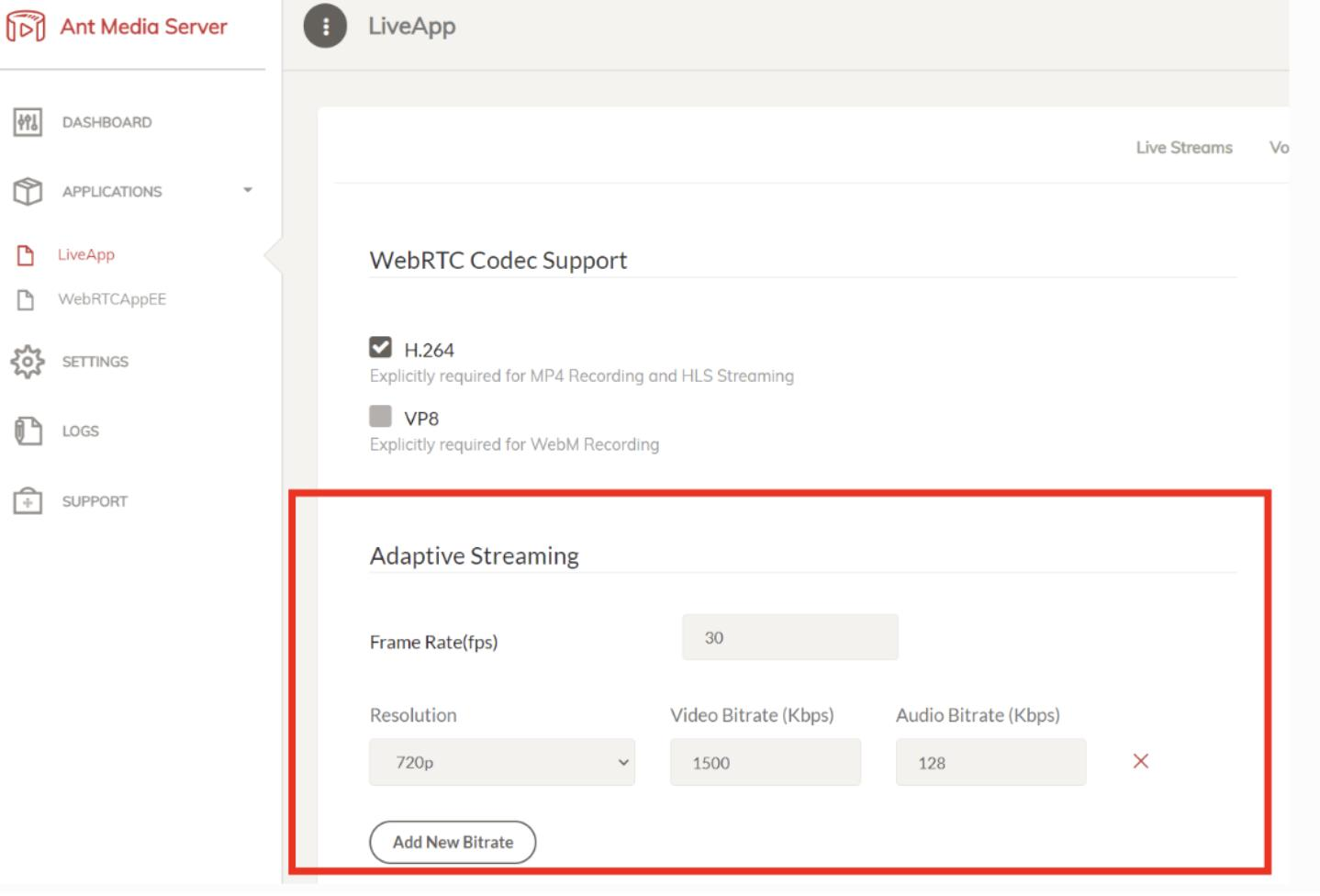
3. Configure Adaptive Bitrate Streaming
Enable adaptive bitrate settings inside your Ant Media application configuration.
This allows Stamp to process and render overlays efficiently across multiple stream qualities.
Adaptive Streaming Settings
4. Start a Stream
Publish a stream to LiveApp and verify Stamp registration logs.
You can publish from:
- OBS
- vMix
- WebRTC Publisher
- FFmpeg
Download sample content:
wget https://streamtoolbox.com/download/big_buck_bunny_720p_h264.mov
Publish with FFmpeg:
ffmpeg -re -i big_buck_bunny_720p_h264.mov -c copy -f flv rtmp://localhost:1935/LiveApp/bunny
Expected log:
22:42:20,111 [vert.x-worker-thread-25] INFO io.antmedia.plugin.StampPlugin - Registering Stamp frame listener in stream myStream
During startup you may briefly see processing warnings while the first frames are rendered:
22:42:20,514 [vert.x-worker-thread-31] WARN i.antmedia.plugin.stamp.StampEngine - Frame processing on myStream took 31ms which is above the 85.0% threshold calculated from the fps interval.
This can happen during initial warmup. If these messages appear frequently, your server may not have enough processing capacity for the stream load.
5. Verify Playback
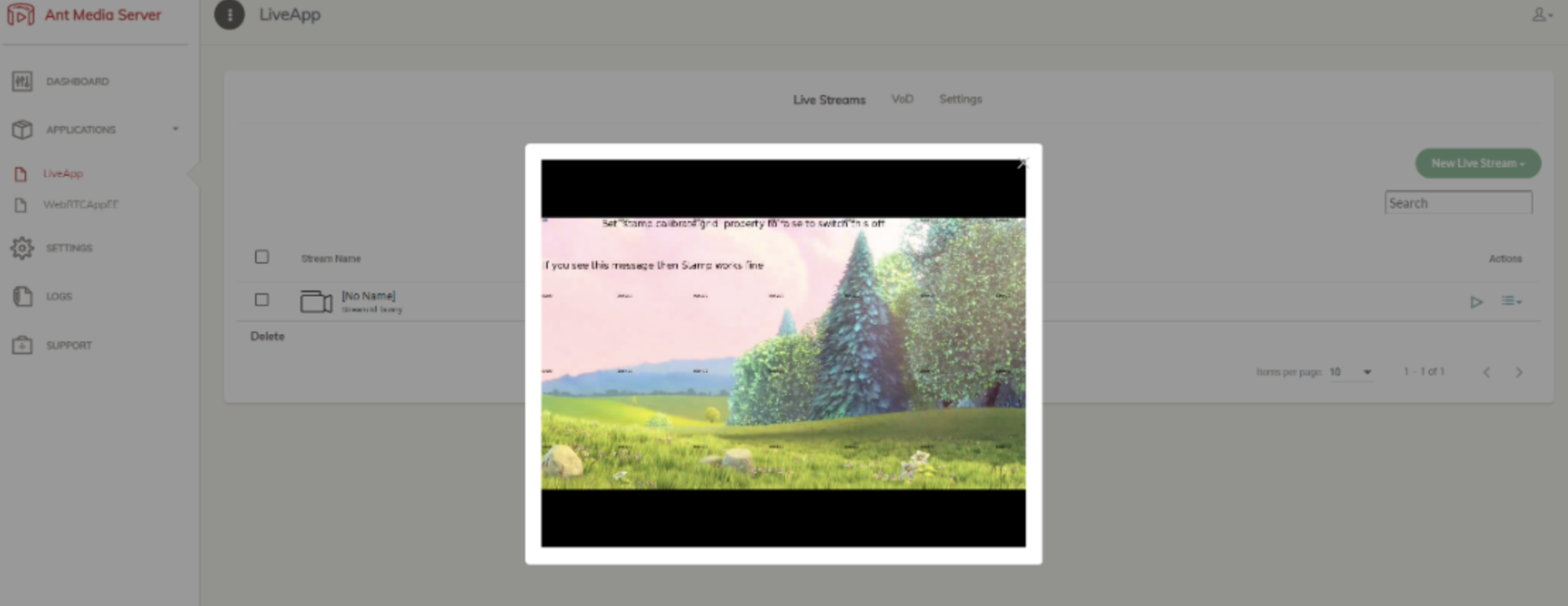
Play the stream and verify that the default calibration grid and welcome message appear.
You should see:
✓ Calibration grid ✓ Welcome message ✓ Dynamic overlays rendered successfully
6. Execute a Sample REST API Request
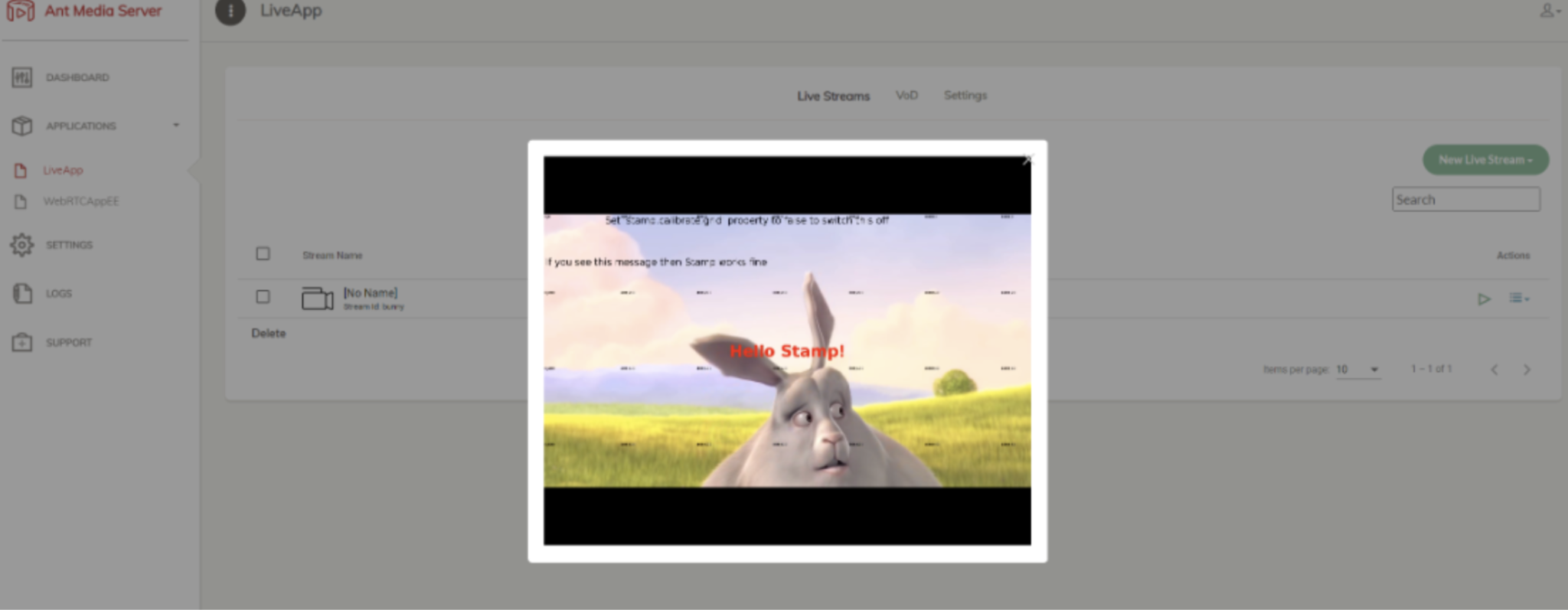
Use the following curl command to send instructions to the plugin:
curl --location --request POST 'http://localhost:5080/LiveApp/rest/stamp/instructions' \
--header 'Content-Type: application/json' \
--data-raw '{"id": "overlay-1","start":"now+1","duration": 30,"text":"Hello Stamp!",\
"style":{"color":"red","size":42},"position": {"x"0.5, "y": 0.5, "anchor":"center-center"}}'
You should see the hello message showing up on the video stream shortly.
7. Real Life use cases of Stamp Plugin
- Drawing on live stream - youtube.com/watch?v=uf6tR8-N1Yg
- HTML Overlay on live video - https://www.youtube.com/watch?v=Xh2sXWUGnIM
- Live Scoring of a Game using Stamp Plugin - https://www.youtube.com/watch?v=oqIy8AKLDbE
8. Performance Note
- Frame processing warnings can appear during startup warmup.
- Frequent warnings may indicate insufficient server capacity.