azure_application_gateway

How to Enable SSL for Azure Application Gateway For Scaling Azure Ant Media Solution

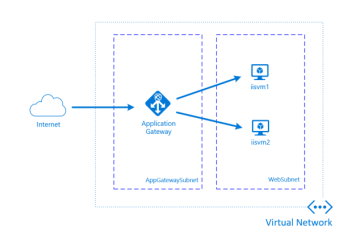
While setting up a scaling Azure Ant Media Solution, SSL needs to be set up for Azure Application Gateway, which acts as a load balancer. SSL is required for enabling mic and camera in browsers. Otherwise, WebRTC will not work. In this post, I will explain how to enable SSL for Azure Application Gateway. Application Gateway is used for load balancing in a clustering Azure solution. Please have a look at this document for enabling Read more…


800px_COLOURBOX11057226

Ant Media Server v1.9.0 is out – Check what’s new!

Ant Media Server v1.9.0 is out with the new features and improvements. Here are the highlights for v1.9.0 Create your own Custom Applications Ant Media Server users are asking this feature for a while and we hear you.  Let me give brief info for that. Ant Media Server has some built-in applications(LiveApp, WebRTCApp, WebRTCAppEE) and it’s hard to create new applications with custom names.  With this feature, you can create new custom applications with one Read more…

content-marketing-statistics

An Overview of WebRTC Statistics

In this blog post, a general overview of WebRTC Statistics is discussed. WebRTC is popular and promising communication technology. Which provides ultra-low latency (under 1 sec) in an adaptive manner. In order to achieve this, WebRTC uses a huge amount of statistical information of both sender and receiver also network conditions. The developers can also get this statistical information in two ways. The first one is simply using WebRTC monitoring tools of the browsers, secondly Read more…

one-click-aws

One-Click Cluster Setup for Ultra Low Latency Streaming in AWS

Cluster Setup is the hot topic for us for a while. Yeah we know that there is a blog post that tells how to setup scalable ultra low latency streaming cluster in Amazon Web Services (AWS)  which shows the each step with screenshots to make everyone install Ant Media Server Cluster in AWS. It’s good to understand what’s under the hood at first. What about for the second time? Third or fourth times? Ooo my Read more…

route53

Geographical Load Balancing

Geographical Load Balancing is distribution of requests to the different servers according to the location of the requester. Such a load balancing let you connect a client to the nearest server. In live media streaming, geographical distance between the server and the client is important in terms of latency. If you have clients from different geolocations, geographical load balancing enhances you live streaming performance. In this blog post we will tell AWS Route53 service and Read more…

global cluster

Ant Media Server Global Cluster on AWS in 6 Steps

You can create Ant Media Server global cluster on AWS to serve your videos to the users from different locations of the world with better performance. We have published a blog post as a guide to create Ant Media Cluster on AWS. In this blog we will tell how you can create a global cluster. We named a cluster as global cluster if it contains instances from different geolocations. For example if you have such Read more…

Benefits-of-Video-Conferencing

How to Create a WebRTC Conference Room in Ant Media Server

You can use WebRTC solutions in different communication formations. In addition to peer-to-peer (1-1)  and publish-play (1-N) communication types, you can also implement a WebRTC conference (N-N) solution with Ant Media Server Javascript SDK. Let’s have a look at that step by step.    Step 1. Prepare the HTML Page Before joining a room, include JavaScript files to your page in the header as follows. <head> <script src=”https://webrtc.github.io/adapter/adapter-latest.js”></script><script src=”js/webrtc_adaptor.js”></script> </head> Then you need to insert Read more…

AWS_CM_Screen Shot 2019-.06-24 at 19.26.57

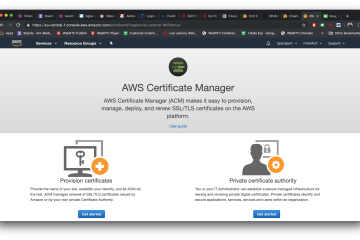
Step by Step Guide: How to get SSL Certificate on AWS Certificate Manager for your Domain Name?

AWS(Amazon Web Services) Certificate Manager provides a free public SSL Certificate that can be used in AWS Load Balancer for HTTPS access. Unfortunately, it’s something a little weird at first to set it up first. So that we prepare this blog post in order to provide a step by step guide to making life easier. In our guide below, we use a subdomain of antmedia.io that is registered at another company. How to get the Read more…

devices

Integrate Perfect Chat System to Your Project in 2 Steps

This is one of the most asked questions since we start developing Ant Media Server. It’s now time to create a solution for projects that needs chat in their streaming projects.  Before we start explaining the steps on how to integrate chat into your streaming projects. Let me give a brief introduction to the solution. In our solution, we use a third-party solution(Rocket Chat) for chat support because we mainly develop a media server, and Read more…