
Video aspect ratio determines the proportional width-to-height relationship of every video frame delivered to viewers — and in live streaming, it directly controls bitrate requirements, adaptive bitrate ladder configuration, GPU transcoding load, and WebRTC negotiation parameters. Choosing the wrong ratio produces black bars, pixel distortion, or over-provisioned bandwidth consumption at every quality tier.
In 2026, streaming engineers configure aspect ratio at three pipeline stages: ingest (RTMP/SRT/WebRTC input), transcoding (resolution ladder generation), and playback (HLS/DASH manifest delivery). A mismatch at any stage produces visual artifacts or wasted encoding resources. This guide covers all 7 ratios used in production streaming, their bitrate implications, and how Ant Media Server handles each one natively.
What is Video Aspect Ratio in Live Streaming?
Video aspect ratio is the ratio of a frame’s pixel width to its pixel height, expressed as two integers separated by a colon — for example, 16:9 means 16 units of width for every 9 units of height. In live streaming pipelines, aspect ratio is not a display preference; it is a technical constraint that governs encoder dimensions, bitrate allocation, and adaptive bitrate ladder compatibility.
Every streaming protocol handles aspect ratio at the metadata layer. WebRTC declares it inside the SDP (Session Description Protocol) offer exchanged during peer connection negotiation. RTMP embeds it in the video metadata chunk sent at stream initialization. HLS references it through the resolution parameter in each variant playlist. A ratio declared incorrectly at ingest propagates through all three layers, reaching every subscriber with the same distortion regardless of playback protocol.
The shape of the frame also determines how the encoder partitions pixels into macroblocks — the 16×16 pixel units that H.264 and H.265 use as the base encoding unit. Standard ratios like 16:9 produce frame dimensions (1920×1080, 1280×720) that divide cleanly by 16. Non-standard ratios produce odd pixel heights — a 2.35:1 source at 1920×817 presents a height of 817, which is not divisible by 16 and requires padding before the encode kernel executes. Aspect ratio therefore affects not just how the video looks but how efficiently the encoder processes each frame.
Ant Media Server preserves the source aspect ratio across all transcoding rungs by default. When generating lower-resolution variants for adaptive bitrate delivery, the server calculates output height as (input height × output width) / input width and rounds to the nearest even integer, preventing the sub-pixel rounding errors that produce green-line artifacts at frame boundaries in hardware-accelerated encoder pipelines.
What are the 7 Video Aspect Ratios Used in Streaming?
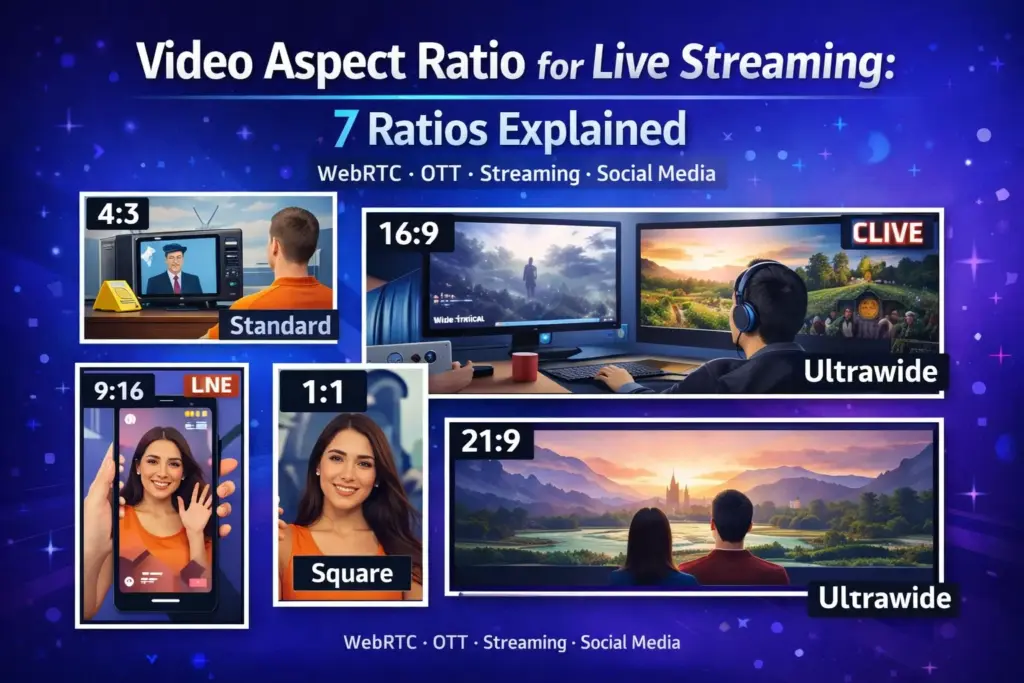
The 7 aspect ratios with active production use in streaming platforms in 2026 are 16:9, 9:16, 4:3, 1:1, 21:9, 2.35:1, and 4:5. The table below defines each ratio, its common resolutions, its primary streaming deployment context, and the recommended bitrate at the highest quality tier.
| Aspect Ratio | Common Resolutions | Primary Streaming Context | Recommended Bitrate (Top Rung) |
|---|---|---|---|
| 16:9 | 1920×1080, 1280×720, 854×480 | Broadcast, OTT, YouTube, WebRTC conferencing | 4–8 Mbps |
| 9:16 | 1080×1920, 720×1280, 480×854 | Mobile-first social streaming, TikTok Live, Instagram Live | 3–6 Mbps |
| 4:3 | 1024×768, 800×600, 640×480 | Legacy broadcast, IP camera feeds, surveillance systems | 2–4 Mbps |
| 1:1 | 1080×1080, 720×720 | Social media feeds, Instagram, Facebook short-form | 2–4 Mbps |
| 21:9 | 2560×1080, 3440×1440 | Cinematic streaming, ultra-wide monitor delivery | 8–15 Mbps |
| 2.35:1 | 2560×1090, 1920×817 | Film-quality streaming, movie platform delivery | 8–12 Mbps |
| 4:5 | 1080×1350 | Instagram portrait posts and mobile-native content | 3–5 Mbps |
16:9 — Widescreen Standard for Broadcast and OTT
16:9 is the universal standard for professional live streaming. It aligns with the pixel density of consumer displays, HD television broadcast standards defined in ITU-R BT.709, and the default WebRTC media track constraints exposed by browsers and mobile SDKs. Every major OTT platform — YouTube, Twitch, and LinkedIn Live — uses 16:9 as the required input format.
9:16 — Vertical Format for Mobile-First Streaming
9:16 is the fastest-growing ratio in production streaming. Platforms serving mobile-first audiences now ingest 9:16 streams natively rather than cropping or pillarboxing 16:9 sources. Ant Media Server ingests both 16:9 and 9:16 simultaneously and generates separate adaptive bitrate streaming ladders for each without source re-encoding — which matters for live commerce and sports platforms publishing to both broadcast and social channels at the same time.
4:3 — Legacy Broadcast and IP Camera Feeds
4:3 persists almost exclusively in IP camera and surveillance deployments. Most IP camera sensors capture natively in 4:3 at resolutions of 1024×768 and 1280×960. Delivering 4:3 camera feeds to a 16:9 web player without server-side handling produces pillarboxing — vertical black bars on both sides of the frame. Ant Media Server’s IP camera streaming integration pulls RTSP streams directly via ONVIF or RTSP URL and delivers the feed through the adaptive bitrate transcoding pipeline to WebRTC, HLS, DASH, or LL-HLS players.
1:1 — Square Format for Social Media Feeds
1:1 serves Instagram and Facebook feed placements where square frames maximize vertical screen real estate on mobile without requiring the viewer to rotate the device. The 1:1 ratio at 1080×1080 contains fewer pixels than a 16:9 frame at 1920×1080 (1,166,400 vs. 2,073,600), which reduces encoding cost proportionally — a relevant consideration for platforms managing thousands of concurrent social-commerce streams.
21:9 and 2.35:1 — Cinematic Ratios for Ultra-Wide Delivery
21:9 and 2.35:1 are cinematic ratios used by film streaming platforms and event production companies targeting ultra-wide displays. Both ratios produce frame heights that are not divisible by 16 at most practical resolutions, requiring encoder-side padding before GPU transcoding. Ant Media Server Enterprise Edition offloads this encoding work to the GPU via CUDA (NVENC), which handles multiple ABR profiles significantly faster than CPU-based encoders — up to 5× faster according to Ant Media’s GPU documentation.
4:5 — Portrait Format for Instagram-Native Content
4:5 is a portrait ratio standardized by Instagram for feed posts (1080×1350), occupying more vertical screen space than 1:1 without reaching the full height of a 9:16 vertical video. Streaming platforms targeting Instagram-native audiences encode 4:5 as a separate output alongside 9:16 rather than cropping, since cropping a 9:16 source to 4:5 removes 25% of the frame height from the top or bottom of the frame.
Aspect Ratio vs. Resolution
Aspect ratio defines the shape of the video frame; resolution defines the pixel density filling that shape. The two values are mathematically related but independently configurable in a streaming encoder — and treating them as interchangeable is the most common source of visual quality failures in live streaming pipelines.
Resolution is specified as width × height in pixels. The aspect ratio is derived by dividing width by height and reducing to the lowest integer ratio: 1920 ÷ 1080 = 16:9, 1024 ÷ 768 = 4:3, 1080 ÷ 1080 = 1:1. A single aspect ratio accommodates multiple resolutions — 16:9 covers 1920×1080, 1280×720, and 854×480 within the same shape. This is why adaptive bitrate streaming can reduce resolution without changing the ratio: the player container keeps the same shape while the encoder delivers fewer pixels per frame.
The practical distinction for streaming is this: aspect ratio is constant across all adaptive bitrate rungs; resolution decreases at each lower rung. If the server generates a 480p rung from a 1080p 16:9 source, the output must be 854×480 — not 640×480, which is 4:3. Delivering 640×480 at the lowest rung while serving 1920×1080 at the top rung produces a visible shape change every time the player switches quality levels. This is a misconfiguration, not a codec issue, and it appears in deployments where resolution presets are set manually without ratio enforcement.
The relationship also affects storage and CDN delivery costs. A 4:3 stream recorded at 1440×1080 contains 1,555,200 pixels per frame versus 2,073,600 for a 16:9 frame at 1920×1080 — a 25% reduction in pixel count that translates to approximately 20–22% lower bitrate at equivalent perceptual quality. For VOD platforms storing thousands of hours of IP camera footage in 4:3, delivering it in native 4:3 rather than transcoding to 16:9 reduces both storage cost and CDN egress charges without any loss in visual information.
Aspect ratio is declared in the video container metadata (MP4, MKV, TS) as a Display Aspect Ratio (DAR) tag, separate from the storage resolution. This allows encoders to store pixels at one resolution while instructing the player to scale the frame to a different display ratio. In live streaming, misalignment between DAR metadata and actual pixel dimensions is a common source of distorted playback in transcoded VOD assets that were originally captured for live output — particularly when third-party encoders write incorrect DAR values during RTMP to WebRTC conversion.
What is the Best Aspect Ratio for Live Streaming in 2026?
16:9 at 1920×1080 is the best aspect ratio for live streaming in 2026 for broadcast, OTT, enterprise webinars, and WebRTC conferencing. Universal hardware encoder support, alignment with ITU-R BT.709 HD color standards, and browser-native WebRTC media track constraints make 16:9 the lowest-friction choice across the full ingest-transcode-deliver pipeline. No other ratio achieves comparable compatibility across display hardware, streaming protocols, and player implementations simultaneously.
The exception is audience-driven. For content where the primary consumption device is a smartphone held in portrait orientation — live commerce, social gaming, creator streams — 9:16 at 1080×1920 is the correct choice. A 16:9 stream displayed in a portrait-mode player produces letterboxing that reduces the active viewing area to 32% of the available screen height on a standard smartphone. A native 9:16 stream fills the screen completely, which measurably affects viewer retention on short-form and interactive live content.
For IP camera and surveillance deployments, 4:3 at 1024×768 or 1280×960 is the correct output ratio because most IP camera sensors capture in 4:3 natively. Transcoding 4:3 sources to 16:9 for delivery to a 16:9 web player wastes encoding resources on padding pixels that carry no visual information. Delivering in native 4:3 and letting the player handle the container mismatch — using object-fit: contain in CSS — preserves all captured pixels at lower transcoding cost. The full relationship between output resolution, ratio, and encoding cost is covered in the video resolution guide for broadcasters.
The decision framework is straightforward: match the output ratio to the primary consumption device, not the ingest device. A 4:3 IP camera delivering to a 16:9 dashboard benefits from server-side handling at the transcoding stage. A 16:9 webcam delivering to a mobile social platform benefits from server-side cropping to 9:16. Both transformations occur within the Ant Media Server pipeline without requiring the publisher to change the source stream or re-publish.
For platforms managing simultaneous delivery to multiple destinations — a broadcast 16:9 feed and a 9:16 social clip — Ant Media Server’s simulcasting pipeline encodes both outputs from a single ingest stream, applying independent aspect ratio rules and adaptive bitrate ladders to each destination format. Teams evaluating multi-format aspect ratio handling across simultaneous stream destinations can test the full transcoding pipeline — including 4:3 IP camera ingest, 9:16 mobile output alongside 16:9 broadcast delivery, and per-rung ratio enforcement — through hands-on configuration testing, with full Enterprise Edition GPU-accelerated transcoding available across the complete evaluation period.
Frequently Asked Questions
What is video aspect ratio?
What is the most common aspect ratio for live streaming?
Does aspect ratio affect streaming bitrate?
What aspect ratio do IP cameras use?
Can the same stream be delivered in two different aspect ratios simultaneously?
Conclusion
Video aspect ratio governs frame shape at every stage of the live streaming pipeline — from RTMP and WebRTC ingest through transcoding to HLS and DASH playback. The 7 ratios in active production use in 2026 each carry specific bitrate requirements, encoder-side implications, and platform compatibility constraints. 16:9 remains the standard for professional streaming; 9:16 defines mobile-first distribution; 4:3 persists in IP camera and surveillance deployments. Matching the output ratio to the primary consumption device — not the capture device — is the single most impactful configuration decision in a live streaming pipeline, and it determines both visual quality and transcoding cost at every scale.
Ready to test aspect ratio configuration, adaptive bitrate ladder enforcement, and multi-format simulcasting on your own infrastructure? Start your 14-day free trial of Ant Media Server — no credit card required, full Enterprise Edition features included.