
In today’s fast-evolving video communication landscape, businesses and developers need streaming solutions that are flexible, scalable, and cost-effective. Many teams have historically used platforms like Twilio Programmable Video to add real-time video capabilities to apps. However, as product strategies continue to shift across providers, many developers are evaluating alternatives that provide greater control, advanced streaming capabilities, and predictable costs.
In this article, we explore 7 smart reasons why teams are choosing to migrate from Twilio Video to Ant Media Server, focusing on control, use-case flexibility, scaling capabilities, and developer empowerment.
Why Migrate from Twilio Video?
While Twilio continues to support and invest in its Video product, some organizations find they require features or scalability models that go beyond what a managed WebRTC service can offer. In this context, Ant Media Server presents a powerful self-hosted streaming engine that supports a wider range of use cases — from ultra-low latency WebRTC to large-scale HLS delivery — with flexible deployment options and pricing models tailored to long-term growth.
Ant Media is not just a replacement but a superior solution – one that excels in delivering top-tier, scalable, and ultra-low latency video and audio streams.
The journey toward a new web real-time communication (WebRTC) partner unfolds in the face of this pivotal moment. Among the options, Ant Media Server is not merely a substitute. It is a robust streaming engine renowned for its exceptional features and scalability.
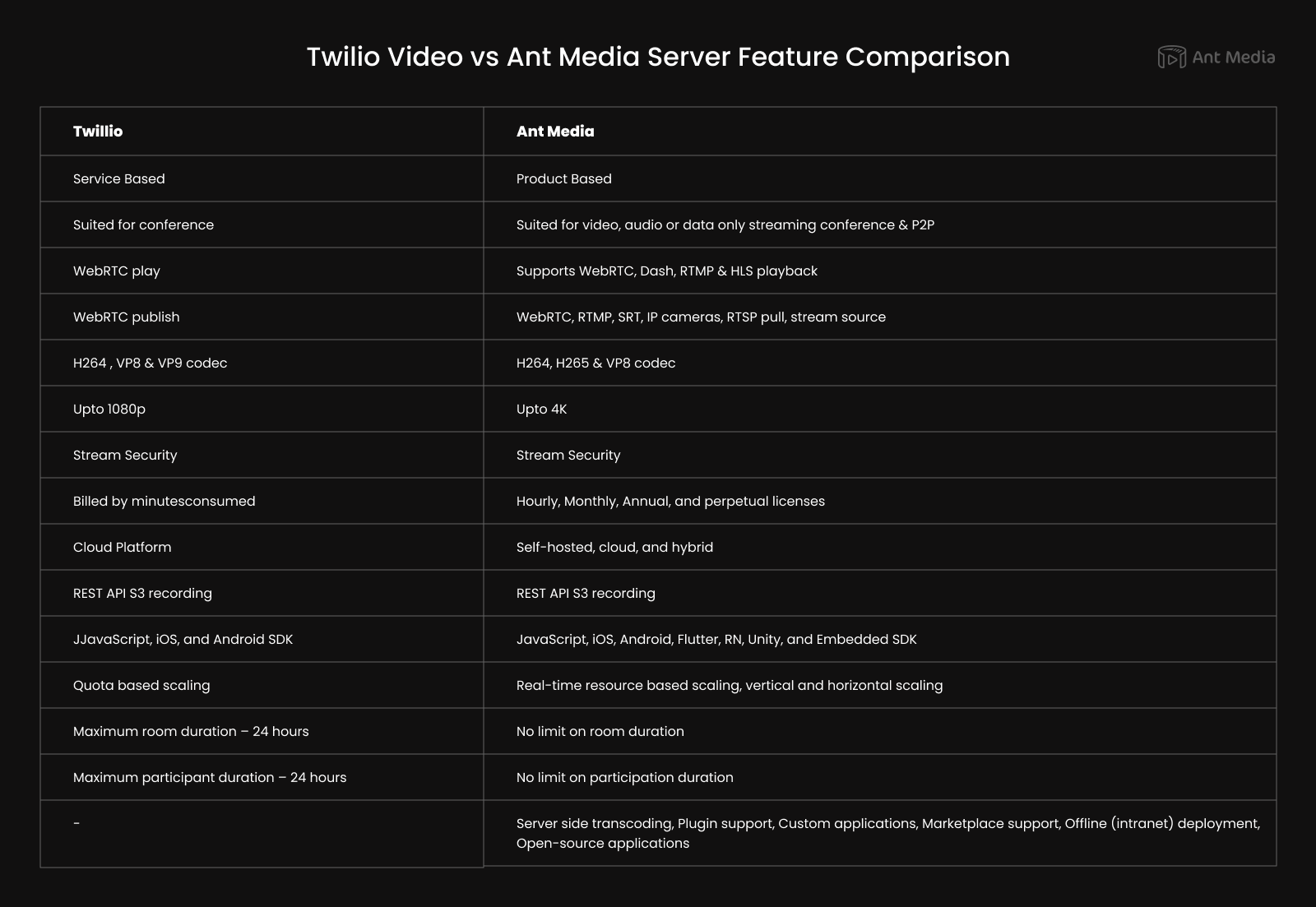
Let’s compare Twilio Video and Ant Media Server side by side to understand their differences:
1. Customize/Control Your Video Flow
Twilio Video operates as a service. In this model, Twilio manages the underlying infrastructure and operations, and users access Twilio Video primarily through APIs.
On the other hand, Ant Media Server, characterized as a product, is a streaming engine. As a self-contained solution, it provides users with a tangible software package that can be installed and configured on their infrastructure. Users have more control and flexibility over the deployment, customization, and maintenance of their streaming server.
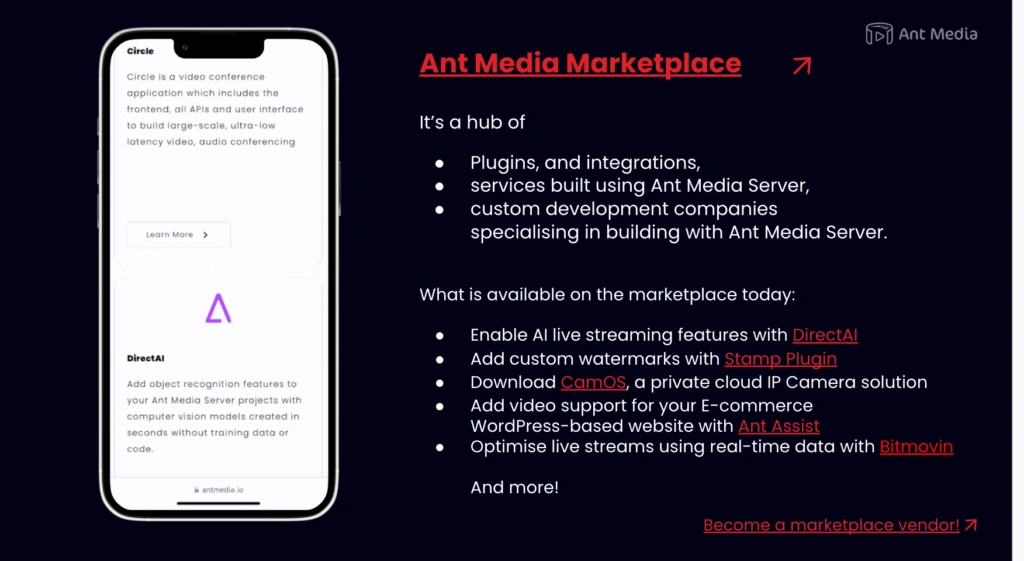
Additionally, Ant Media Server supports plugin architecture and 3rd party application deployment to make your streaming server more powerful. Visit our marketplace to find extensions that you can install for your project and find ready solutions for your needs.
Lastly, for your custom needs, there is a community of users/developers that you can hire to develop applications or plugins according to your requirements.
2. Flexible for Any Video Streaming Use Case
The Twilio video solution is mainly used for conferencing structure, whereas the Ant Media Server finds its use for video/live streaming, conference, P2P & IP camera streaming.
Twilio Video supports WebRTC. On the other hand, Ant Media Server supports WebRTC, RTMP, SRT, RTSP pull, IP cameras, WHIP, and stream source on the publishing side and WebRTC, LL-HLS, Dash, and HLS playback.
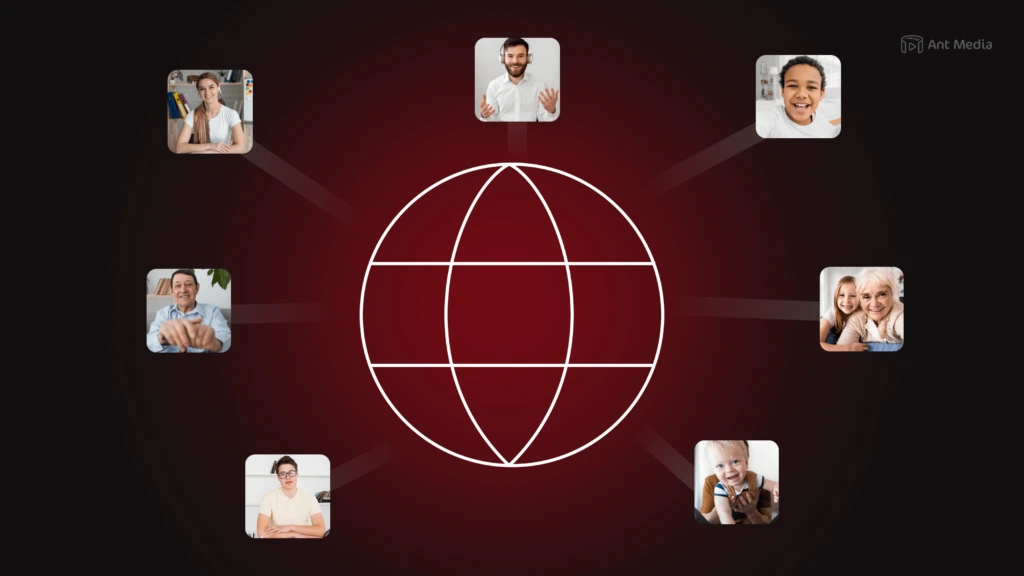
Twilio Video supports up to 1080p resolution, whereas Ant Media Server supports all kinds of resolutions up to 4K streaming.
Twilio Video supports H.264, VP8, and VP9 video codecs. Ant Media Server supports H.264, H.265, AV1, and VP8 video codecs.
Ant Media Server supports server-side transcoding, and the feature is built into the server itself. Read about transcoding in another article.
3. Stream at Scale and Pay Less
Twilio Video is billed according to minutes consumed. Ant Media Server offers a flexible pricing structure, including Hourly, Monthly, Annual, and Perpetual licenses. You can install Ant Media Server on an instance, and it’s charged per instance. It means you can take full advantage of your hardware.
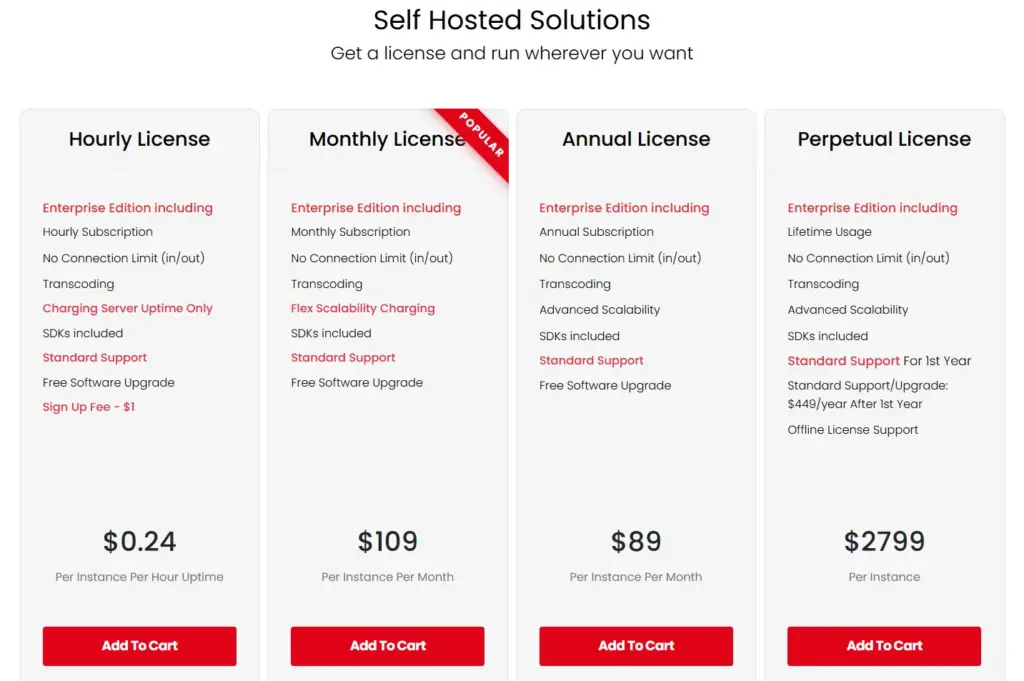
With flexible licensing structures like Hourly, Monthly, Annual, and Perpetual licenses for self-hosted and hourly & annual subscriptions for marketplaces, you can optimize performance while keeping costs down. Estimate your license and server requirements with our handy cost calculator. If you have questions about anything, don’t hesitate to get in contact with us!
4. Freedom to Deploy Your Solution to Your Favorite Cloud Provider
Twilio Video is a cloud-hosted service, meaning you don’t choose where your streaming service will be deployed. Twilio centrally hosts it. Ant Media Server can be hosted on-premise or, as some call it, “behind a private network” as well as through cloud marketplaces. You can use AWS, Azure, Google Cloud, Linode, etc.
5. Rich REST API and SDK Support
Both Ant Media Server and Twilio Video have support for REST API. Twilio supports S3 recording, and with Ant Media Server, the recordings can be stored on S3 as well as locally.
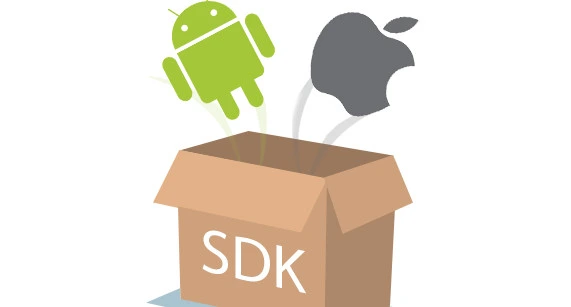
Twilio Video supports JavaScript SDK, iOS SDK, and Android SDK. Ant Media Server has JavaScript SDK, native SDKs for iOS and Android, Flutter SDK, React Native SDK, Embedded SDK for IP cameras, and Unity SDK, along with a rich set of APIs for easy integration.
6. Built to Scale Freely
Twilio Video supports quota-based scaling. It means that resources, capabilities, or usage limits are allocated to users or entities based on predefined quotas. So if you expect a higher load, you first need to request the provider to increase the quota.
Ant Media Server uses resource-based scaling and can be scaled both vertically and horizontally. Vertical scaling means increasing the machine/server resources like CPU, memory, etc. Horizontal scaling means multiple servers clubbed together as we do in a cluster structure.
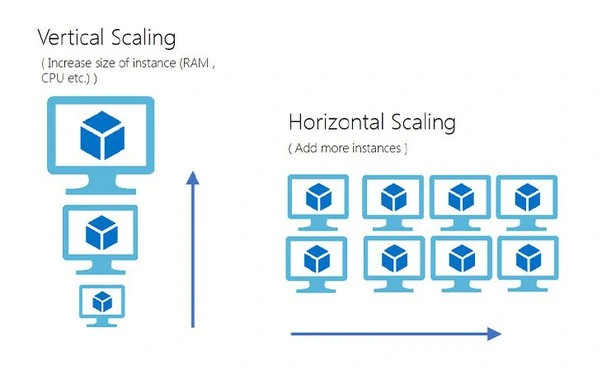
In short, Ant Media Server can scale both vertically and horizontally. It means that your video streaming service can automatically scale its infrastructure up in response to increased viewer demand, ensuring optimal performance during peak times. Conversely, it can scale down efficiently during periods of lower demand, allowing for cost savings.
7. Quick Auto-Scalable Deployment
Even if you can install Ant Media Server through AWS, Azure, or Google Cloud Marketplaces to have a single standalone instance. You can install auto-scalable solutions according to the number of users. You can use Kubernetes or Auto-Scalable Groups in your Cloud Providers. Moreover, the Auto-Managed streaming service with AWS makes life easy for you.
Auto-Managed Live Streaming Service, you get real-time video & audio infrastructure that scales automatically, charges only when active, and gives you total control over your pipeline — without the overhead of traditional platforms.
Frequently Asked Questions
Why do teams choose Ant Media Server over a managed WebRTC service like Twilio’s?
Is Ant Media Server suitable for large-scale broadcasting use cases?
Can I customize streaming logic with Ant Media Server?
Does migrating from Twilio mean losing managed-service convenience?
Conclusion
Now that you’re familiar with the major benefits of using Ant Media Server, would you like to know what your streaming service will look like at the end of implementation?
Ensure you leverage our comprehensive documentation and community knowledge base to facilitate the migration process.
If you have questions or need any type of support, contact us via a form or schedule a meeting to have a coffee and chat, or write directly to [email protected]. Let’s democratize live streaming together. We are here to help you and make this journey a memorable one!